
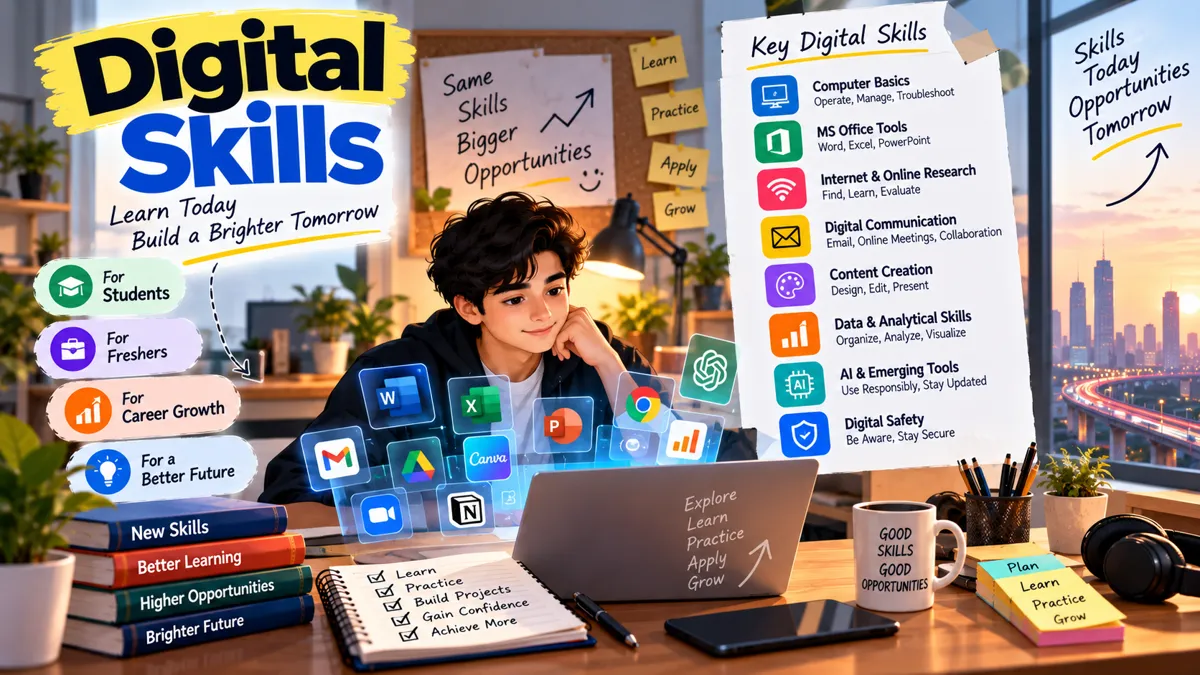
Technology has become an important part of our daily lives. From attending online classes and creating presentations to applying for jobs and working with digital tools, we use technology in many different ways.
For students and freshers, understanding how to use digital tools is no longer just an additional advantage. It is an important part of preparing for education, internships, and professional life.
This is where digital skills become valuable.
Digital skills help individuals use computers, software, online platforms, and digital technologies effectively. They make everyday tasks easier and help students prepare for different career opportunities.
Whether you are studying in college, searching for your first job, or planning to improve your professional abilities, developing digital skills can help you become more confident and independent.
At Vexatry Global, we believe that digital learning and practical skill development can help students prepare for a technology-driven future.
In this blog, we will explore what digital skills are, why they matter, which skills students should learn, and how to develop them step by step.
1. What Are Digital Skills?
Digital skills are the abilities required to use digital devices, applications, software, and online platforms to complete tasks effectively.
These skills include basic computer knowledge, online communication, digital content creation, data handling, and the responsible use of technology.
For example, creating a document in MS Word, preparing a presentation, using spreadsheets, attending an online meeting, or researching information on the internet are all examples of digital skills.
Digital skills are not limited to IT professionals. Students, teachers, business owners, employees, and job seekers can all benefit from developing them.
The level of digital knowledge required depends on the person's career goals and professional responsibilities.
2. Why Are Digital Skills Important for Students?
Digital skills help students connect their academic knowledge with practical requirements.
They can make learning easier, improve productivity, and help students prepare for modern workplaces.
Here are some important benefits of digital skills.
Improves Learning and Productivity
Students can use digital tools to prepare assignments, organize notes, create presentations, and manage their study schedules.
Learning how to use these tools effectively can save time and make academic tasks easier to manage.
Supports Career Opportunities
Many jobs require employees to use computers, software, online communication platforms, or digital systems.
Having relevant digital skills can help freshers prepare for internships, entry-level jobs, and workplace responsibilities.
Builds Confidence
Students who understand digital tools can complete common tasks more independently.
For example, creating a professional document or participating in an online meeting becomes easier with regular practice.
Encourages Creativity
Digital tools allow students to create presentations, videos, graphics, websites, and other types of content.
These activities can help students explore their interests and develop creative abilities.
Helps Students Adapt to Technology
Technology continues to change, and new tools are introduced regularly.
Developing digital skills helps students become comfortable with learning new applications and adapting to different digital environments.
3. Essential Digital Skills Every Student Should Learn
Students do not need to master every digital tool at once. Starting with basic skills and gradually moving toward advanced topics can make learning easier.
Here are some useful digital skills for students and freshers.
A. Basic Computer Skills
Basic computer knowledge is the foundation of digital learning.
Students should understand how to operate a computer, manage files, use folders, install trusted applications, and navigate common software.
Important computer skills include:
- Using Windows or another operating system
- Creating and organizing files and folders
- Using a keyboard and mouse efficiently
- Managing documents and downloads
- Understanding basic computer troubleshooting
- Using common file formats such as PDF, DOCX, and XLSX
These skills are useful for academic work as well as many entry-level jobs.
B. MS Office and Productivity Tools
Office productivity tools are widely used in educational institutions and workplaces.
Students should become familiar with tools such as Microsoft Word, Excel, and PowerPoint.
MS Word: Used to create resumes, reports, letters, and assignments.
MS Excel: Used for calculations, data organization, tables, and basic data analysis.
MS PowerPoint: Used to prepare presentations for classes, meetings, and professional discussions.
Students can also explore alternatives such as Google Docs, Google Sheets, and Google Slides.
Practicing these tools can help students complete everyday tasks more efficiently.
C. Internet and Online Research Skills
The internet provides access to a large amount of information, but students need to know how to find and evaluate it.
Online research skills include:
- Using search engines effectively
- Finding reliable information
- Comparing information from different sources
- Identifying misleading or outdated content
- Downloading files from trusted websites
- Using online learning platforms
Students should also learn to verify important information rather than accepting every online result as accurate.
D. Digital Communication Skills
Digital communication means using technology to communicate professionally and effectively.
Students should learn how to write emails, attend online meetings, share files, and communicate through workplace platforms.
Important digital communication skills include:
- Writing professional emails
- Using video conferencing tools
- Participating in online meetings
- Sharing documents appropriately
- Following professional communication etiquette
- Communicating clearly through digital platforms
These skills can be particularly useful during internships, remote work, and job interviews.
E. Digital Content Creation
Digital content creation involves using digital tools to create visual, written, or multimedia content.
Students interested in creativity, marketing, or communication can explore:
- Canva for graphic design
- Basic video editing
- Presentation design
- Social media content creation
- Blog and article writing
- Basic image editing
Learning these skills can help students create portfolios and explore different professional interests.
F. Data and Analytical Skills
Data skills help students organize, understand, and interpret information.
Even basic data knowledge can be useful in many career fields.
Students can start by learning:
- Data entry and organization
- Excel formulas
- Sorting and filtering data
- Creating charts and graphs
- Understanding basic data interpretation
- Preparing simple reports
These skills can be especially useful for students interested in business, management, administration, or data-related careers.
G. AI and Digital Tool Awareness
Artificial intelligence tools are becoming part of many learning and workplace activities.
Students can develop basic AI awareness by understanding how AI tools work, where they can be useful, and what their limitations are.
They should learn to:
- Use AI tools responsibly
- Write clear prompts
- Verify AI-generated information
- Protect personal and confidential data
- Avoid relying completely on automated answers
AI tools can support learning and productivity, but students should continue developing their own knowledge, judgment, and problem-solving abilities.
4. How to Develop Digital Skills Step by Step
Developing digital skills does not require expensive equipment or advanced technical knowledge.
With a clear learning plan and regular practice, students can gradually improve their abilities.
Step 1: Understand Your Current Skill Level
Start by identifying the digital tools you already know how to use.
Can you create a document, prepare a spreadsheet, send a professional email, or attend an online meeting?
Understanding your current level will help you decide what to learn next.
Step 2: Choose Skills Based on Your Career Goals
Different career paths require different digital skills.
For example, a student interested in digital marketing may focus on content creation, SEO, and analytics, while a student interested in data analysis may focus on Excel, SQL, and data visualization.
Choose skills that match your interests and professional goals.
Step 3: Use Online Learning Resources
Online platforms provide courses and tutorials for different levels of digital learning.
Some useful platforms include:
- Coursera
- SWAYAM
- Microsoft Learn
- Google Skillshop
- freeCodeCamp
Choose beginner-friendly learning resources and follow a structured approach rather than switching between too many courses.
Step 4: Practice Using Digital Tools
Practical experience is one of the most effective ways to improve digital skills.
For example:
- Create your resume using a word processor.
- Prepare a monthly budget in Excel.
- Design a presentation on a topic you enjoy.
- Create a simple website.
- Write and format a professional email.
- Organize files into folders on your computer.
Regular practice helps turn theoretical knowledge into useful abilities.
Step 5: Work on Small Digital Projects
Projects allow students to apply their knowledge and demonstrate their abilities.
You could create a personal portfolio, design social media posts, prepare a data report, or build a basic website.
Keep your completed projects organized. They may be useful when applying for internships or discussing your skills during interviews.
Step 6: Keep Learning and Improving
Digital tools and technologies change over time.
Make learning a regular habit. Explore new tools when they are relevant to your goals, ask for feedback, and continue practicing the skills you already have.
You do not need to learn everything at once. Consistent improvement is more useful than rushing through multiple courses without practical experience.
5. Digital Skills for Different Career Paths
The digital skills you need depend on your chosen profession.
Here are some examples of skills that students can explore for different career paths.
| Career Path | Useful Digital Skills |
|---|---|
| Business Analyst | Excel, PowerPoint, documentation tools, basic SQL |
| Data Analyst | Excel, SQL, data visualization, data handling |
| Digital Marketer | SEO tools, analytics, content creation, social media platforms |
| Web Developer | HTML, CSS, JavaScript, Git |
| Customer Support | Email tools, CRM software, spreadsheets, communication platforms |
| IT Support | Operating systems, troubleshooting, networking basics |
| Management | Excel, presentations, collaboration tools, digital reporting |
This list is a starting point. Students should review job descriptions and course requirements to identify the skills relevant to their chosen career.
6. Digital Safety and Responsible Technology Use
Developing digital skills also means understanding how to use technology safely and responsibly.
Students should protect their personal information and follow basic online safety practices.
Here are some important habits:
- Use strong and unique passwords.
- Enable two-factor authentication where available.
- Avoid clicking suspicious links or downloading unknown files.
- Keep devices and applications updated.
- Check website authenticity before sharing personal information.
- Avoid sharing confidential information with untrusted tools.
- Respect copyright when using digital content.
- Verify information before sharing it online.
Digital safety is an important skill for both personal and professional life.
7. Common Digital Learning Mistakes to Avoid
While learning digital skills, students may face challenges that slow their progress.
Avoid these common mistakes:
Trying to learn everything at once: Start with a few relevant skills and build your knowledge gradually.
Only watching tutorials: Practice using the tools instead of only watching someone else use them.
Ignoring basic computer knowledge: Strong fundamentals make it easier to learn advanced tools later.
Learning without a clear goal: Choose skills that support your education, interests, or career plans.
Depending completely on AI tools: Use technology to support your learning, but develop your own understanding and judgment.
Not applying what you learn: Create small projects to practice your skills and demonstrate your abilities.
8. How Vexatry Global Supports Digital Skill Development
At Vexatry Global, we believe that digital knowledge and practical learning can help students prepare for a changing professional environment.
Our training and internship initiatives focus on helping students develop useful skills, understand workplace expectations, and explore career opportunities.
Through structured learning activities and practical exposure, students can strengthen their digital knowledge and become more confident in applying what they learn.
Whether you are starting with basic computer skills or exploring digital tools for a specific career, continuous learning can help you take the next step in your professional journey.
Explore Vexatry Global to learn more about our training, internship, and career development initiatives.
Frequently Asked Questions (FAQs)
1. What are digital skills in simple words?
Digital skills are the abilities required to use computers, software, online platforms, and digital tools to complete tasks effectively.
2. Why are digital skills important for students?
Digital skills help students complete academic tasks, communicate online, improve productivity, and prepare for internships and professional opportunities.
3. Which digital skills should freshers learn first?
Freshers can start with basic computer skills, MS Office, professional email writing, internet research, and online communication tools.
4. Can I learn digital skills without a technical background?
Yes. Many digital skills, such as Excel, email communication, online research, and presentation design, can be learned without a technical background.
5. How can students improve their digital skills?
Students can improve their digital skills through online courses, tutorials, regular practice, practical projects, and internships.
6. Are digital skills useful for non-IT jobs?
Yes. Digital skills are useful in many non-IT roles, including administration, management, customer service, marketing, education, and business operations.
7. Do I need a certificate to prove my digital skills?
Certificates can demonstrate course completion, but practical projects, work samples, and the ability to use digital tools effectively can also help demonstrate your skills.
Conclusion
Digital skills have become an important part of education, professional development, and everyday life.
For students and freshers, learning how to use digital tools can improve productivity, build confidence, and support preparation for different career opportunities.
You do not need to become a technology expert overnight. Start with basic computer skills, explore tools related to your interests, and practice regularly through small projects.
Every digital skill you develop can help you become a more capable and confident learner.
Learn digital skills. Build practical knowledge. Grow with Vexatry Global.